Full Disk Encryption, managed from the console you already run
GravityZone Full Disk Encryption protects business data and cuts the risk of accidental loss or theft with the native, proven encryption already built into Windows and macOS - BitLocker and FileVault - switched on, enforced and recovered from the same GravityZone console as the rest of your endpoint security.
no extra agent and no key management server - the Bitdefender agent you already run does the work
Any tier
Add-on to every solution
to every GravityZone endpoint security solution, enabled per policy
0 native enginesBitLocker and FileVaultdriven by GravityZone rather than replaced by a third-party driver
0 consoleKeys, status and reportsEndpoint protection, encryption status, compliance reporting and recovery keys in GravityZone Control Center
GDPR, HIPAA, PCI DSSData-at-rest requirements metwith encryption-specific reports to prove it at audit time
Three jobs
What full disk encryption is for
The three outcomes the module delivers, in the order a lost laptop makes them matter.
01 / 03
Protect data, prevent loss
Protect confidential business data and prevent accidental loss, unauthorised access or theft with native encryption for endpoint hard drives.
The whole drive encrypted, not selected folders
Useless to whoever finds or steals the device
Boot and non-boot volumes, both covered
02 / 03
Achieve regulatory compliance
Meet the data-at-rest requirements of GDPR, HIPAA, PCI DSS and more, with encryption-specific reports to demonstrate it for audit.
Encryption status per endpoint and per volume
Compliance reports built for the auditor, not the admin
Non-compliant devices surfaced, not assumed
03 / 03
Integrated, centralised management
Easy-to-use encryption management from the same centralised cloud or on-premises console you use for GravityZone endpoint security.
No separate encryption console to learn or license
Encrypt, decrypt and recover from the same policy editor
Recovery keys held by GravityZone, not on a sticky note
Capabilities
Safeguard business data with native encryption
Comprehensive data protection and compliance. Every screen below is the GravityZone console or the prompt your users actually see.
Native, Proven Encryption
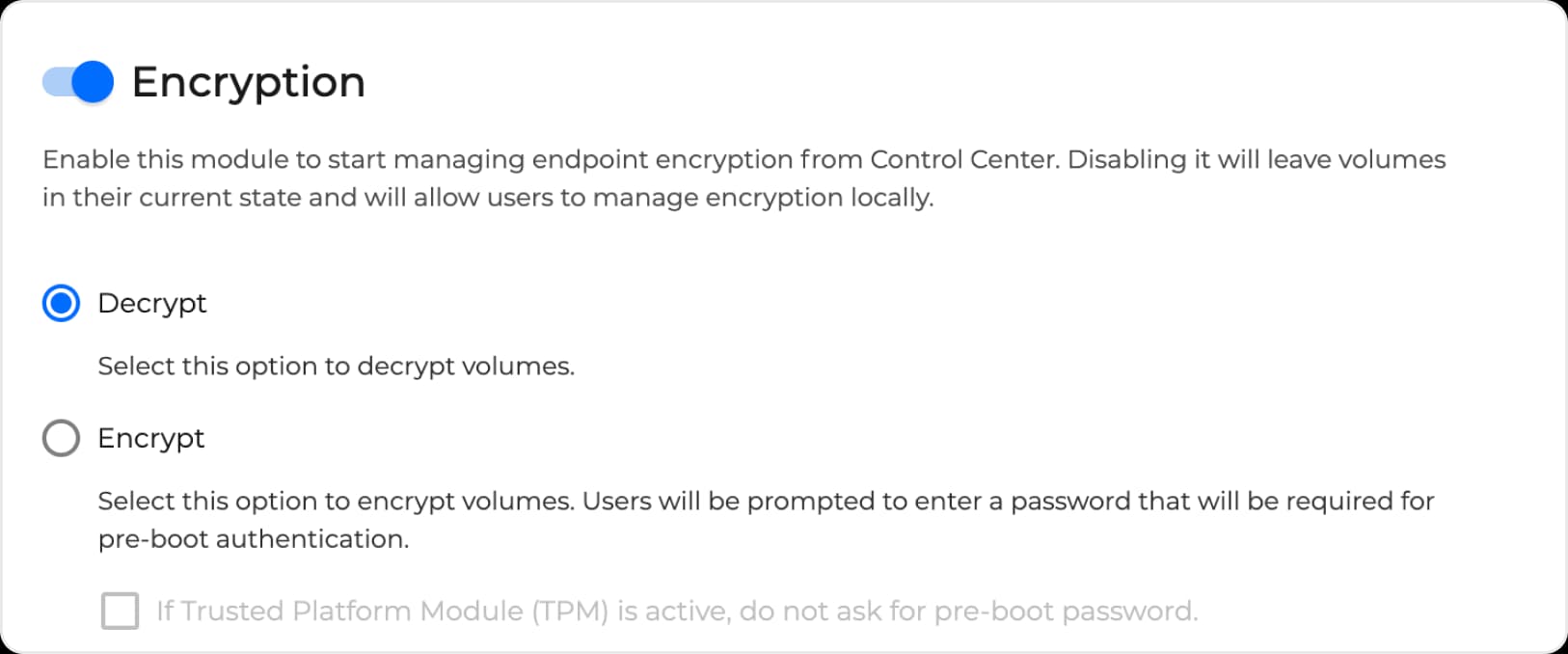
GravityZone Full Disk Encryption leverages the native encryption mechanisms provided by Windows (BitLocker) and macOS (FileVault and diskutil) to ensure compatibility and performance. There is no additional agent to deploy and no key management server to install - the module is a toggle in the policy, and the choice to encrypt or decrypt is one radio button.
BitLocker on Windows, FileVault and diskutil on macOS - the OS vendor's own engine
Encrypt or decrypt volumes from the policy, with GravityZone handling the whole process
Optionally skip the pre-boot password where a Trusted Platform Module (TPM) is active
Reporting and Compliance
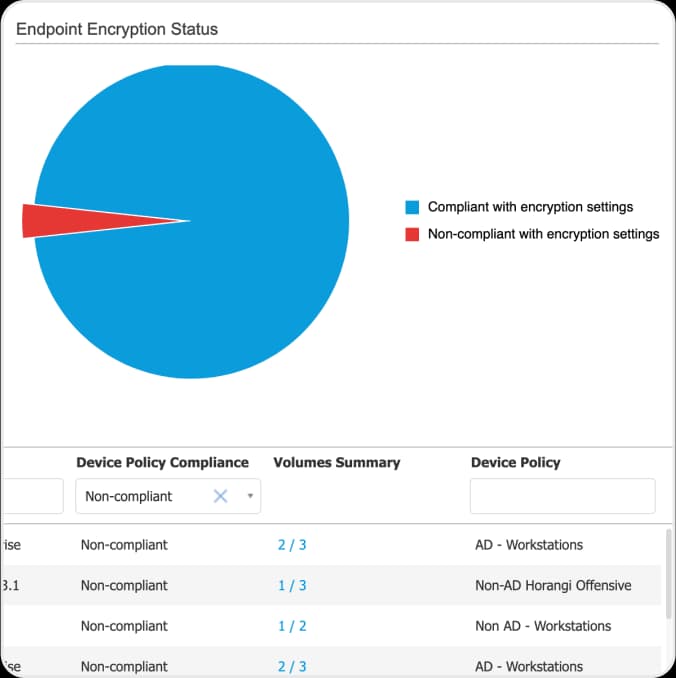
Encryption-specific reports provide visibility and control and help prove regulatory compliance - which endpoints are compliant with their encryption settings, which are not, and how many volumes on each are done.
Pre-boot Authentication Enforcement
Pre-boot authentication prevents anything being read from the hard disk - the operating system included - until the user has proven they hold the correct password. That is a secure, tamper-proof environment outside the operating system, acting as a trusted authentication layer.
How it works
From a policy toggle to an encrypted, recoverable drive
The whole sequence runs from GravityZone. Minimal intervention is required from users, and none from a second product.
1
Enable the module
Switch Encryption on in the GravityZone policy for the endpoints you want covered and choose Encrypt. No additional agent, no key server.
A few clicks in the policy
2
The user sets a pre-boot password
On the next policy sync the endpoint prompts the user for the password that will be required before the disk can be read. Where a TPM is active you can choose not to ask.
Windows and macOS
3
Volumes encrypt in the background
BitLocker or FileVault encrypts boot and non-boot volumes while the machine stays in use. GravityZone handles the entire process and reports progress.
Native OS engine
4
Keys are stored centrally
GravityZone stores the recovery keys needed to unlock a volume if a user forgets the password - and lets IT block or unblock an encrypted device remotely.
Recovery from the console
5
Compliance is reported
The Endpoint Encryption Status report shows compliant and non-compliant endpoints and the volumes on each, ready for the auditor.
Two components, both of which you already have if you run GravityZone.
13 requirements
What it needs and what it covers
Requirement
What applies
1Components3 itemsGravityZone Full Disk Encryption uses the following components.
The same cloud or on-premises console you use for endpoint security
Encryption is a module in the existing policy editor. Status, compliance reports and recovery keys live in the same console - there is no separate encryption product to stand up.
Bitdefender Endpoint Security Tools, installed on Windows, Linux and Mac endpoints
The agent already deployed for protection carries the encryption module. Nothing extra is installed on the endpoint.
Key management server
None required - GravityZone stores the recovery keys
2Encryption engines3 itemsNative, proven mechanisms from the operating system vendor.
BitLocker
GravityZone drives BitLocker rather than replacing it, which is what keeps compatibility and performance at the level the OS vendor tests for.
FileVault and diskutil
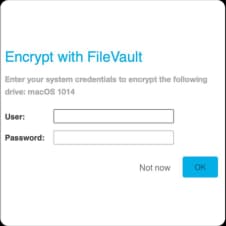
The user is prompted by the standard macOS FileVault dialog; GravityZone manages enrolment and holds the recovery key.
Optional - skip the pre-boot password where a TPM is active
A policy checkbox. With TPM-backed BitLocker the machine boots without a prompt while the drive stays encrypted at rest.
3What is encrypted and reported7 itemsWhole volumes, and the evidence that they are.
Boot volumes
Encrypt and decrypt from the policy
Non-boot volumes
Encrypt and decrypt from the policy
Pre-boot authentication
Enforced - nothing on the disk, including the OS, is readable until the password is confirmed
Recovery keys
Stored by GravityZone, used to unlock a volume when a user forgets the password
Remote block and unblock
Encrypted devices can be blocked and unblocked from the console
Compliance reporting
Endpoint Encryption Status: compliant and non-compliant endpoints, volumes encrypted per device
Regulations addressed
GDPR, HIPAA, PCI DSS and other data-at-rest requirements
Encryption itself uses the operating system's native mechanism, so the platforms encrypted are the platforms that ship one - Windows with BitLocker and macOS with FileVault. Ask us before planning a rollout on an edition of Windows that does not include BitLocker.
Why Bitdefender
Why choose GravityZone Full Disk Encryption
A native encryption solution that encrypts the hard drives on your endpoints to protect company data from accidental loss or theft and meet compliance regulations - an optional add-on to the GravityZone platform that unifies prevention, protection, detection and response across endpoints, networks, email and cloud.
Single console for endpoint security and encryption
GravityZone Control Center is one centralised console for protecting every endpoint against malware and targeted attacks, managing compliance reporting, and recovering encryption keys. That simplicity is what lets security staff stay focused and work efficiently.
Protecting business assets, limiting risk
Data is usually the most important asset a business has, and losing it can be detrimental. Full Disk Encryption limits that risk and helps the organisation meet its compliance obligations rather than explain a breach.
Simplified, efficient security
Deploys simply and intuitively with no additional management console. IT can encrypt and decrypt boot and non-boot volumes in a few clicks while GravityZone handles the whole process, with minimal intervention from users - and GravityZone stores the recovery keys for when a password is forgotten.
In production
With full disk encryption, it is easy to manage the BitLocker encryption keys from the GravityZone console. With more people working remotely, it is useful that we can manage the blocking and unblocking of encrypted devices remotely.
Mathieu Barre, IT Manager, Mews Partners
Independent evaluations
The platform underneath, judged by people who publish their methodology
Full Disk Encryption is a module of GravityZone. These are the evaluations of the platform it runs on, each with the year it was published.
Top protection, lowest TCO
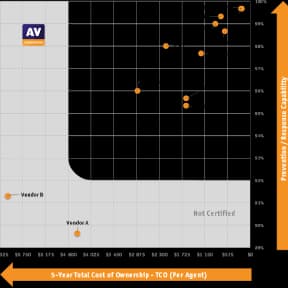
AV-Comparatives 2025 Endpoint Prevention and Response Test: Bitdefender achieved top breach prevention and the lowest total cost of ownership, and was the only vendor to block 100 percent of attacks during the first stage.
High visibility, minimal noise
MITRE ATT&CK Evaluations 2024: 100 percent analytical coverage for both Linux and macOS, with zero false positives in both cases.
Best Protection and Best Performance
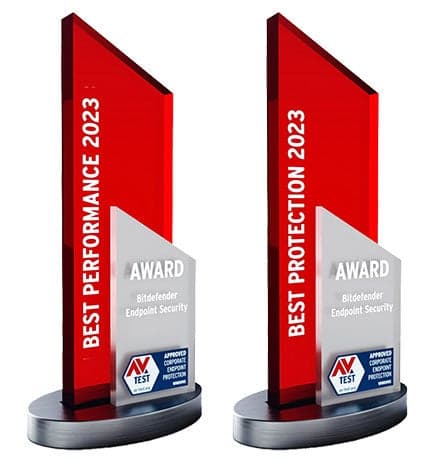
AV-TEST Award 2023: GravityZone Endpoint Security took both Best Protection and Best Performance in the business users category.
Strong Performer in EDR
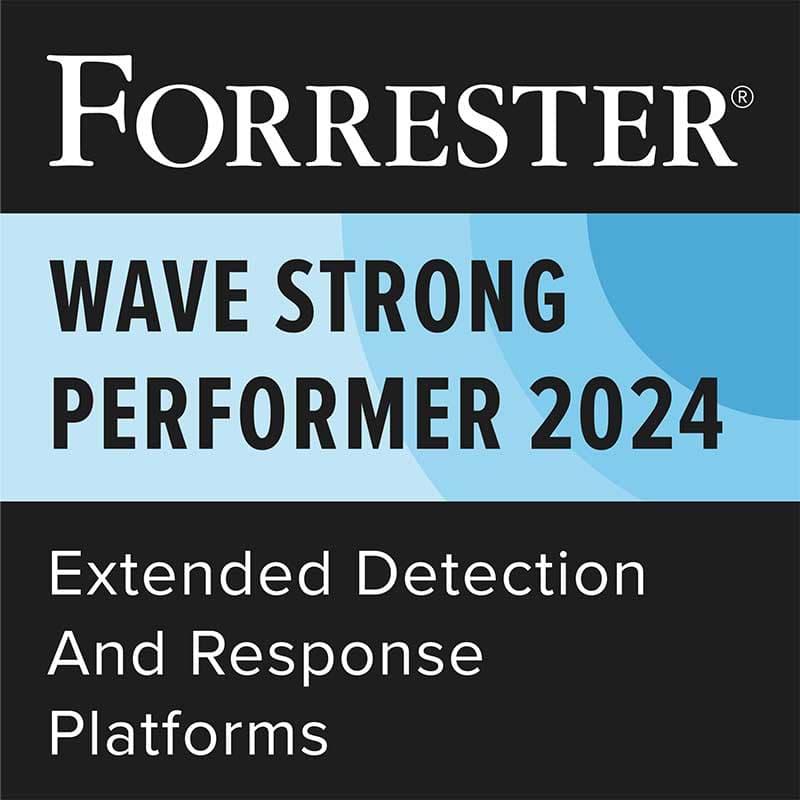
Named a Strong Performer in the Forrester Wave 2024 report on EDR platforms.
Customers' Choice 2026
A Customers' Choice in the 2026 Gartner Peer Insights Voice of the Customer for Endpoint Protection Platforms - the rating that comes from verified users rather than analysts.
Visionary 2026
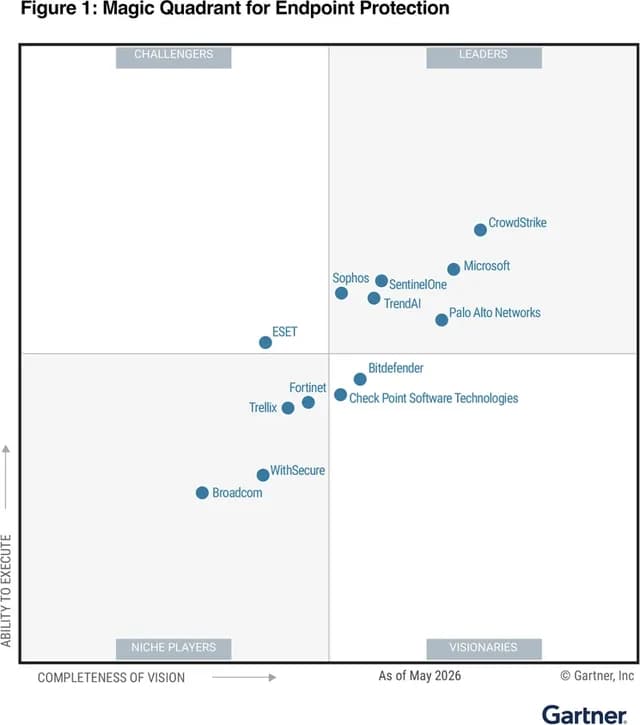
Positioned as a Visionary in the 2026 Gartner Magic Quadrant for Endpoint Protection Platforms.
Where it fits
An add-on to whichever GravityZone tier you run
Full Disk Encryption is not a standalone product. It is licensed per endpoint on top of any GravityZone endpoint security tier, and enabled in the same policy - often alongside its sibling add-on.
Bitdefender sells this add-on online in some markets. In Thailand it is licensed through us - tell us how many endpoints and which tier, and we quote the add-on alongside it.
Tell us which GravityZone tier you run and how many endpoints, and we will quote Full Disk Encryption alongside it. Not on GravityZone yet? Start with a free trial of the platform and add the module when you are ready. Prices are for licences only and do not include implementation services.