




GravityZone a la carte

Mobile Threat Defense for the phones your staff already use

GravityZone Security for Mobile detects known and unknown threats on iOS, Android and ChromeOS by watching how the device behaves, not by matching a signature list. The machine learning runs on the device itself, so a phone stays protected even when it is off the network, and the whole thing is managed from the GravityZone console you already use for laptops and servers.

  • 3 platforms

    iOS, Android, ChromeOS

    protected from one policy in the GravityZone console

  • Any tier

    Add-on to every solution

    to every GravityZone endpoint security solution, and to Cloud MSP Security

0%Of phishing arrives by emailand 60 percent of those emails are opened on a phone (GravityZone Security for Mobile datasheet, 2023)
0%Of phishing clicks are mobilewhere the mail gateway and the desktop browser defences are not watching
0%Use work devices personallyadmit using a work device for personal email, shopping or streaming

Three jobs

What mobile threat defence changes

Phones and tablets reach the same mail, files and systems as a laptop, and are managed like none of them. These are the three outcomes the module exists for.

01 / 03

Prevent mobile threats

Prevent, detect and respond to zero-day, phishing and network attacks aimed at mobile devices, their apps and their operating systems.

  • Known and unknown threats caught by behaviour, not signatures
  • Detection runs on the device, so an offline phone is still defended
  • Customer data, intellectual property and core systems kept out of reach

02 / 03

Achieve compliance

Balance data privacy against security so that data theft and credential loss stop being the thing that fails your next audit.

  • Out-of-compliance apps detected against a policy you define
  • Missing encryption, jailbreak, root and outdated OS made visible
  • Evidence for GDPR, PDPA, PCI and HIPAA style requirements

03 / 03

Cover corporate and BYOD devices

Protect company-owned handsets and staff-owned phones alike, without taking over the personal half of the device.

  • The same protection whoever bought the phone
  • Detection on the device means private data is not shipped to a cloud
  • Device, network, phishing and app attacks all in scope

Capabilities

Gain visibility into your mobile footprint

Six things the module does, and the GravityZone screens where you do them.

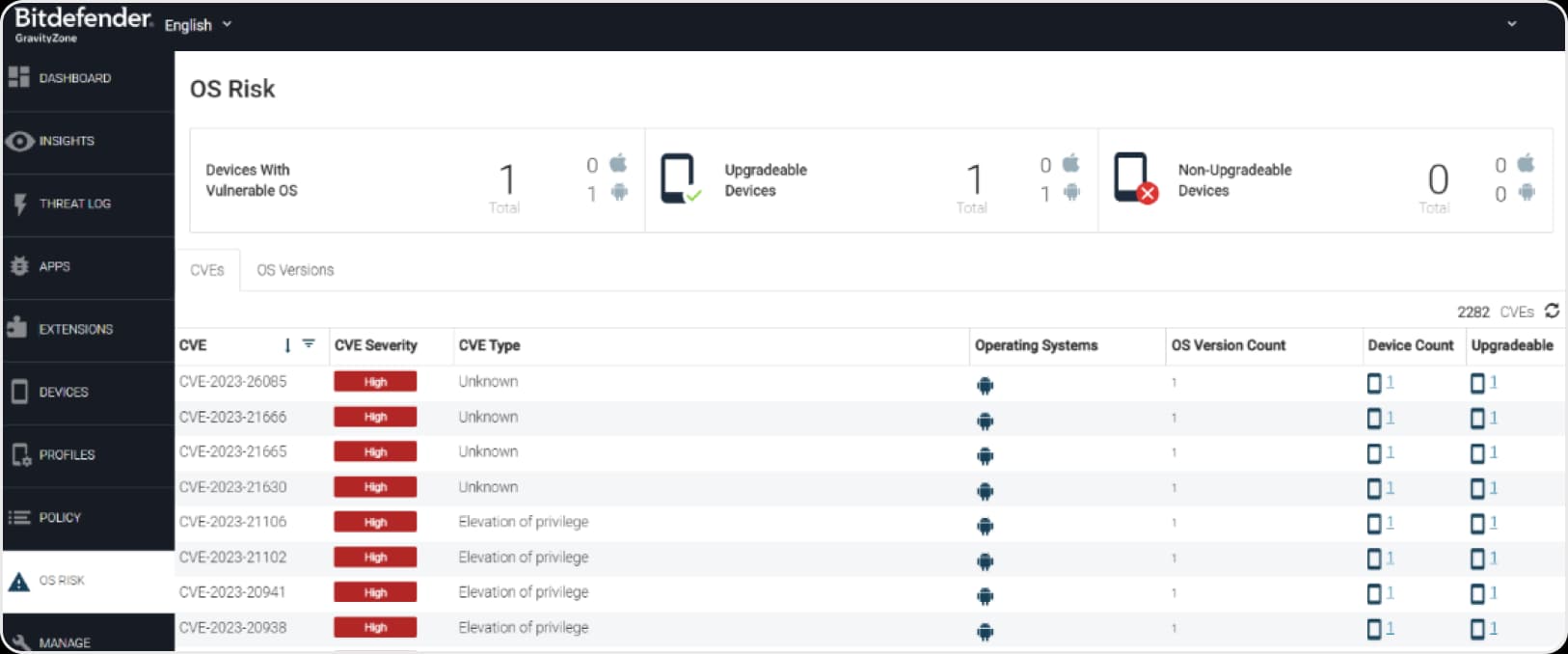
GravityZone OS Risk screen showing devices with a vulnerable OS, upgradeable and non-upgradeable device counts, and a list of CVEs with severity, type, operating system and affected device counts

Device Assessment and Visibility

Every enrolled device is scored for risk and the reasons are listed: known OS vulnerabilities with their CVE and MITRE mapping, missing encryption, a jailbroken or rooted device, and handsets on an OS version that no longer receives security updates. Devices that can be upgraded are separated from the ones that cannot, so you know which risks are fixable and which are a hardware replacement conversation.

  • CVEs listed by severity and type with the devices and OS versions they affect
  • Upgradeable and non-upgradeable devices counted separately
  • Jailbreak, root, missing encryption and system tampering surfaced
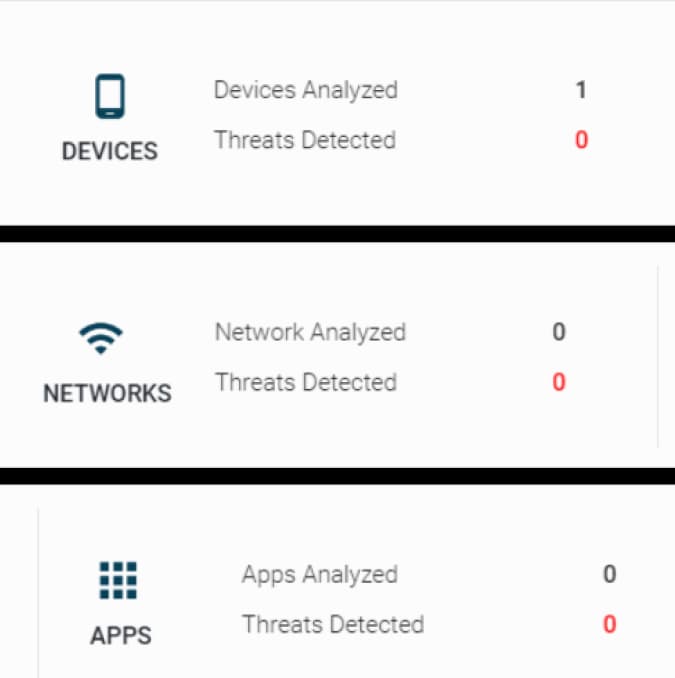
GravityZone mobile dashboard tiles counting devices, networks and apps analysed with the number of threats detected on each

App, web, network and device protection

On-device machine learning watches how the device behaves and identifies apps that act like malware, anomalous network traffic and phishing attempts. Because the model runs locally rather than in a cloud service, protection and secure connectivity continue when the endpoint has no connection at all.

  • Devices, networks and apps analysed continuously, with detections counted per layer
  • Man-in-the-middle attacks, rogue access points and weak connections detected
  • Full protection while the device is offline
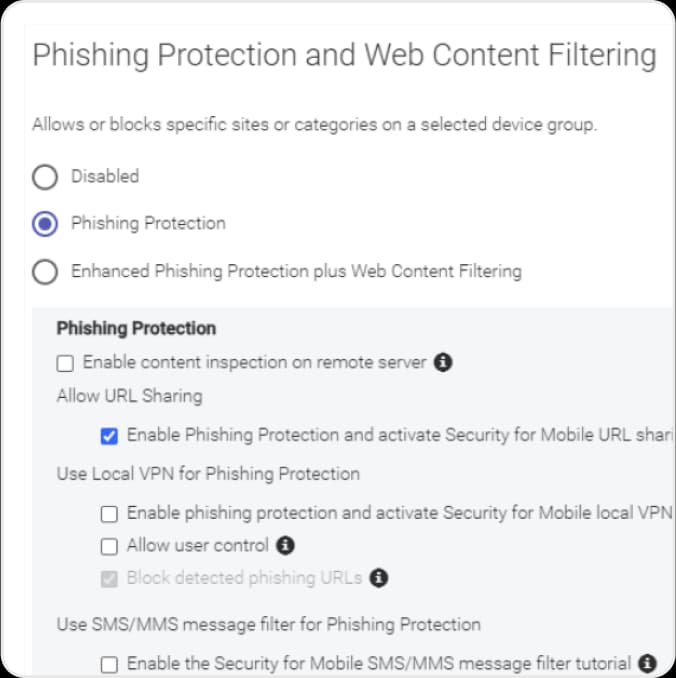
GravityZone policy panel for Phishing Protection and Web Content Filtering, with options for content inspection, URL sharing, local VPN and an SMS and MMS message filter

Anti-phishing protection

Anti-phishing runs on the device on every supported platform. A local VPN processes traffic in real time on the handset instead of routing it through an external service, which is what lets it catch a phishing link opened in mail, in a message or inside an app rather than only in the browser.

  • On-device local VPN, no traffic sent to a third-party inspection service
  • Phishing URLs blocked wherever they are opened, including SMS and MMS
  • Enhanced mode adds web content filtering on the same policy
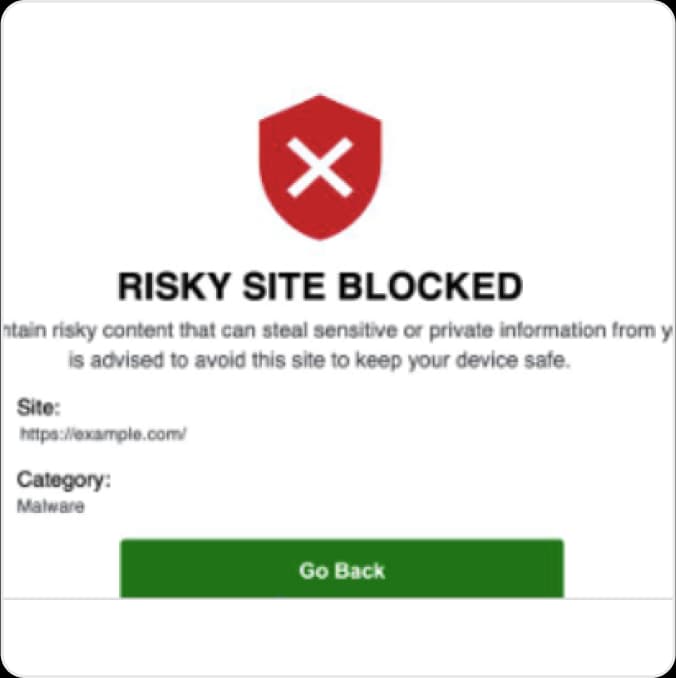
On-device Risky Site Blocked screen naming the blocked address and its Malware category, with a Go Back button

Web content filtering

Warns users away from, and blocks outright, sites and links that carry malware, phishing, botnet traffic or suspicious domains, plus categories that breach your own standards. The user sees why the page was stopped and which category it fell into, which cuts the support call that otherwise follows a block.

  • Malware, phishing, botnet and suspicious-domain categories blocked
  • Your own category rules applied per device group
  • The block screen names the site and the reason
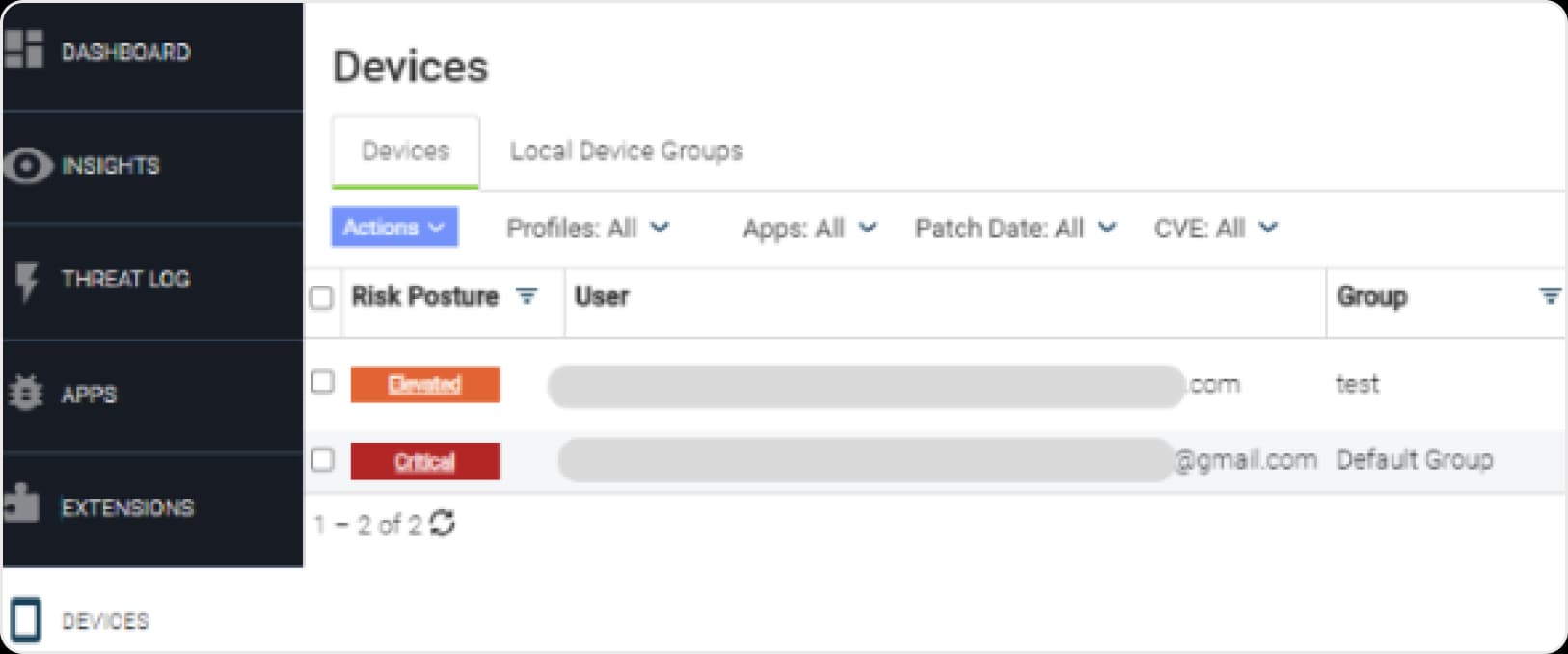
GravityZone Devices list showing each device's risk posture as Elevated or Critical, with filters for profiles, apps, patch date and CVE

Mobile Application Vetting

Applications are assessed for their security and privacy posture, and deep cloud-based analysis reports what an app actually does with the data it can reach. You define your own application compliance policy, build a catalogue of accepted apps and versions, and monitor every device against it. A detection can trigger an action locally or through your MDM.

  • Your own accepted-app and accepted-version catalogue
  • Devices filtered by app, CVE, patch date and profile
  • Out-of-compliance detections trigger an action locally or via MDM
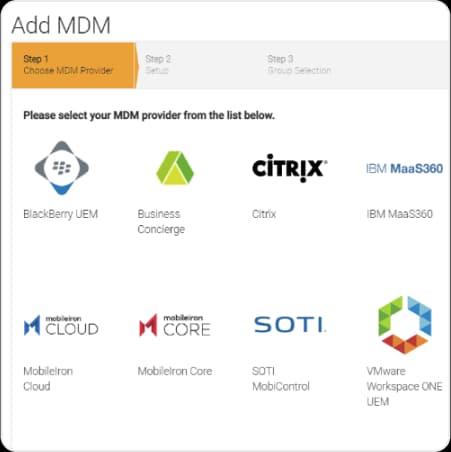
GravityZone Add MDM wizard listing BlackBerry UEM, Business Concierge, Citrix, IBM MaaS360, MobileIron Cloud, MobileIron Core, SOTI MobiControl and VMware Workspace ONE UEM as providers

Integration with Mobile Device Management

Security for Mobile is not an MDM and does not replace one. It connects to the MDM or UEM you already run, so enrolment is driven from the system that already owns your device inventory and a security detection can automatically trigger a device action there.

  • Eight MDM and UEM platforms supported out of the box
  • Deployment driven from the inventory you already maintain
  • Mobile security policies enforced automatically on detection

Coverage

What it runs on and what it plugs into

One agent on the handset, one console shared with the rest of your endpoint security, and connections into the systems that already hold your device inventory and your logs.

Operating systems

iOS 11 and later

Android 5.1 and later

ChromeOS

What it inspects

Apps

Web traffic

Networks

Device and OS state

Integrations

MDM and UEM

SIEM via JSON Syslog

GravityZone console

On-device detection

Machine learning runs on the handset, so threats are caught with no connection and private data never leaves the device for analysis.

One console

Managed from the GravityZone console alongside your endpoints, with nothing extra to deploy.

8 MDM platforms

BlackBerry, Business Concierge, Citrix, IBM MaaS360, MobileIron Cloud and Core, SOTI and VMware Workspace ONE.

The GravityZone console is the same one used for workstations and servers. There is no separate mobile console, no separate login and no extra infrastructure to stand up.

Why this one

Why choose GravityZone Security for Mobile

Mobile devices reach corporate data through channels that endpoint tooling never sees: SMS, messaging apps, rich messaging, sideloaded apps and public wifi. This module closes that gap without adding a second security stack to run.

Unified security, seamless integration

It reports into the same GravityZone console as your endpoint protection, which lets one team see phones, laptops and servers together. It also integrates with the MDM or UEM already in place, so security operations stay on one platform rather than splitting across two.

Industry-leading antimalware underneath

The detection technology is the same one that keeps taking top rankings from MITRE, AV-Comparatives and AV-TEST. Bitdefender has the most number one placements in AV-Comparatives Enterprise tests, and held 100 percent detection at the highest level of description in the MITRE Engenuity ATT&CK Evaluations three years running.

End-to-end visibility

Your team gets insight across every platform and application rather than a mobile blind spot beside a well-instrumented estate. Vulnerabilities carry their MITRE mapping, so a mobile finding lands in the same language as the rest of your reporting.

Independent evaluations

The platform underneath, judged by people who publish their methodology

Security for Mobile is a module of GravityZone. These are the evaluations of the platform it runs on, each with the year it was published.

AV-Comparatives 2025 Endpoint Prevention and Response test result for Bitdefender

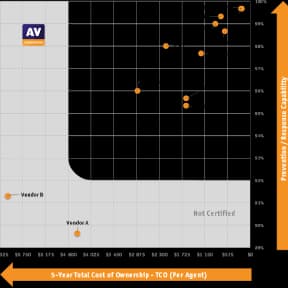
Top protection, lowest TCO

AV-Comparatives 2025 Endpoint Prevention and Response Test: Bitdefender achieved top breach prevention and the lowest total cost of ownership, and was the only vendor to block 100 percent of attacks during the first stage.

MITRE ATT&CK Evaluations 2024 badge

High visibility, minimal noise

MITRE ATT&CK Evaluations 2024: 100 percent analytical coverage for both Linux and macOS, with zero false positives in both cases.

AV-TEST Award 2023 for Best Protection and Best Performance, business users

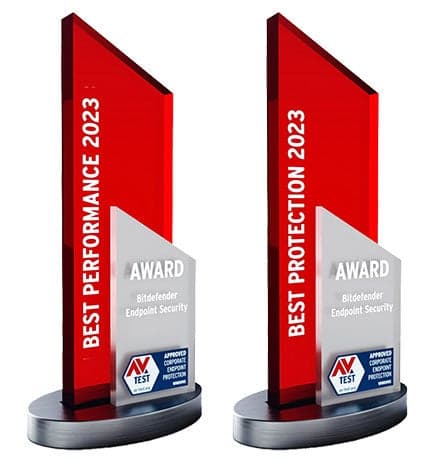
Best Protection and Best Performance

AV-TEST Award 2023: GravityZone Endpoint Security took both Best Protection and Best Performance in the business users category.

Forrester Wave 2024 Strong Performer badge for endpoint detection and response

Strong Performer in EDR

Named a Strong Performer in the Forrester Wave 2024 report on EDR platforms.

Gartner Peer Insights Customers' Choice 2026 badge

Customers' Choice 2026

A Customers' Choice in the 2026 Gartner Peer Insights Voice of the Customer for Endpoint Protection Platforms, the rating that comes from verified users rather than analysts.

Gartner Magic Quadrant for Endpoint Protection 2026 showing Bitdefender in the Visionaries quadrant

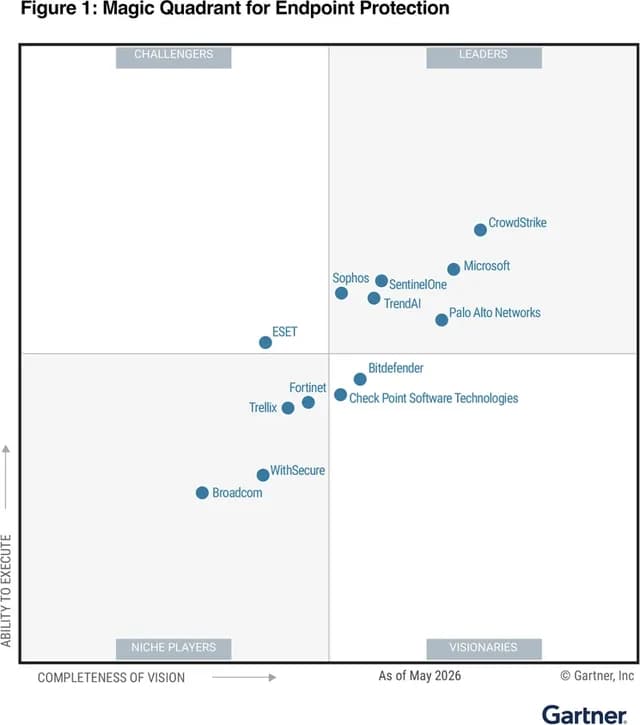
Visionary 2026

Positioned as a Visionary in the 2026 Gartner Magic Quadrant for Endpoint Protection Platforms.

Specifications

What it needs and what it covers

The agent goes on the handset. Everything else is the GravityZone you already run.

16 items

What it needs and what it covers
FeatureDetails
1Devices and operating systems4 itemsThe minimum operating system version is iOS 11 or Android 5.1.
iOS 11 and later, on 64-bit devices
Android 5.1 and later
Chromebooks that support Android apps and the Google Play Store
Required for threat reporting, configuration and version updates, and deep cloud threat analysis
2Management console2 itemsNo separate mobile console. The module appears inside GravityZone.
The same GravityZone console used for your endpoints
Chrome current version recommended; Safari and Firefox current versions
3MDM and UEM systems9 itemsThe systems Security for Mobile connects to, with the minimum version of each.
VMware Workspace ONE UEMMDM 8.3
BlackBerry DynamicsBlackBerry Dynamics 1.0
BlackBerry UEM (BES)12.7 UEM
Business Concierge MDM12.3
Citrix MDM10.4
IBM MaaS36010.65
MobileIron MDM Core8 Cloud, current version
SOTI MobiControl14.1
Do not use a colon in the MDM password field, and do not use the literal word password as the value
4Other integrations1 itemsWhere the detections go next.
Any SIEM with a JSON Syslog input capability

Bitdefender updates the supported MDM and UEM versions and the Chromebook device list on its business support site. Ask us for the current list before committing to a rollout that depends on a specific platform or handset.

Security for Mobile, answered

The phones reach the same data. Give them the same defence.

Tell us how many mobile devices you have and which GravityZone tier you run, and we will quote Security for Mobile alongside it. Not on GravityZone yet? Start with a free trial of the platform and add the module to the trial. Prices are for licences only and do not include implementation services.